

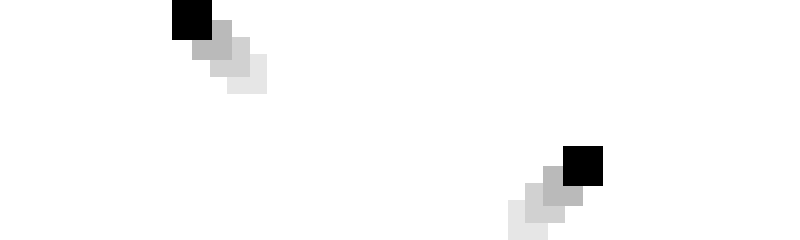
The foundation of any game is the game loop. This is what drives the game forward and allows for all the interactions to take place. By repeating a block of code over and over a program can come to life and interactivity can take place.
// Game Loop
function update() {
    setTimeout(update, 1000/60);
    elapsedTime();

    logic();
    render();
}
The two core pieces of code that need to be executed in this block are the game logic and frame rendering. Rendering is what is drawn to the screen in each loop of the game known as a frame. Everything rendered within a frame is represented as different shapes and images derived from the game logic. Every frame is cleared and redrawn so clean animations can take place.
// Render Frame
function render() {
    // Clears the screen
    context.clearRect(0, 0, winWidth, winHeight);

    // Draw a box
    context.beginPath();
    context.rect(xPos - width/2, yPos - height/2, width, height);
    context.fill();

    // Game loop time
    context.fillText("Elapsed Time: "+elapsed, 10, 10);
    context.fillText("FPS: "+fps, 10, 20);
}
The other essential piece of code is the game logic. This block of code is what the game actually does between rendering each frame. This area of the code is where all the magic happens and needs to be highly tuned so the game runs as fast as possible. Otherwise the game will look choppy and the experience will be ruined.
// Game Logic
function logic() {
    // Move box
    xPos += xVel * percent;
    yPos += yVel * percent;

    // Check within window width
    if(xPos < 0) {
        xPos = 0;
        xVel *= -1;
    } else if(xPos > winWidth) {
        xPos = winWidth;
        xVel *= -1;
    }

    // Check within window height
    if(yPos < 0) {
        yPos = 0;
        yVel *= -1;
    } else if(yPos > winHeight) {
        yPos = winHeight;
        yVel *= -1;
    }
}
Now lets take a look at the elapsedTime() function. This function counts the time between each frame so we know how much to adjust the position of each frame animation and the delay of any timings. If we do not make this adjutments then each frame will move at an irregular speed depending on what the computer's cpu is doing. If there are a lot of programs the computer is working on then the animation will look choppy.
// Frame Delay
function elapsedTime() {
    // Retrieve latest timestamp
    end = Date.now();
    // Store delay between latest time and previous time
    elapsed = end - start;
    // Store latest timestamp for next frame
    start = end;
    // Calculate delay per second as a percentage
    percent = elapsed/1000;

    // fps
    calcFPS();
}
Calculating the timing is important for anything that is tied to a fixed duration. An example of this can be seen when we want to calculate the frames per second. By displaying the frames per second it allows us to check what is slowing down our game in real time.
// Frames Per Second
function calcFPS() {
    // Increment frame delay
    fpsTime += elapsed;
    // Increment frame count
    frameCount ++;

    // Checks frame delay per second
    if(fpsTime > 1000) {
        // Reset frame delay
        fpsTime -= 1000;
        // Store frames per second count
        fps = frameCount;
        // Reset frame count
        frameCount = 0;
    }
}
The last core piece of the game loop is the part where it repeats. By making our update() function utilize the setTimeout() JavaScript function we can set which function to call and what delay between frames we want. Therefore allowing us to set our target frame rate. To achieve 60 frames per second we deivide it by 1000 milliseconds.
Now lets take a look at our current game loop running.
This is the full source code all together. Run this JavaScript code by calling the setup() function.
var canvas;
var context;
var winWidth = 0, winHeight = 0;

// Elapsed Time
var percent = 0;
var elapsed = 0, start, end;
var fps = 0, frameCount = 0, fpsTime = 0;

// Box
var xPos = 0, yPos = 0;
var width = 50, height = 50;
var xVel = 100, yVel = 100;

function setup() {
	canvas = document.getElementById('canvas');
	context = canvas.getContext('2d');

	winWidth = 300;
	winHeight = winWidth/3*2;
	canvas.width = winWidth;
	canvas.height = winHeight;

	// Reset initial time
	start = Date.now();

	update();
}
// Game Loop
function update() {
	setTimeout(update, 1000/60);
	elapsedTime();

	logic();
	render();
}
// Render Frame
function render() {
	// Clears the screen
	context.clearRect(0, 0, winWidth, winHeight);

	// Draw a box
    context.beginPath();
    context.rect(xPos - width/2, yPos - height/2, width, height);
    context.fill();

	// Game loop time
	context.fillText("Elapsed Time: "+elapsed, 10, 10);
	context.fillText("FPS: "+fps, 10, 20);
}
// Game Logic
function logic() {
	// Move box
	xPos += xVel * percent;
	yPos += yVel * percent;

	// Check within window width
	if(xPos < 0) {
		xPos = 0;
		xVel *= -1;
	} else if(xPos > winWidth) {
		xPos = winWidth;
		xVel *= -1;
	}

	// Check within window height
	if(yPos < 0) {
		yPos = 0;
		yVel *= -1;
	} else if(yPos > winHeight) {
		yPos = winHeight;
		yVel *= -1;
	}
}
// Frame Delay
function elapsedTime() {
	// Retrieve latest timestamp
	end = Date.now();
	// Store delay between latest time and previous time
	elapsed = end - start;
	// Store latest timestamp for next frame
	start = end;
	// Calculate delay per second as a percentage
	percent = elapsed/1000;

	// fps
	calcFPS();
}
// Frames Per Second
function calcFPS() {
	// Increment frame delay
	fpsTime += elapsed;
	// Increment frame count
	frameCount ++;

	// Checks frame delay per second
	if(fpsTime > 1000) {
		// Reset frame delay
		fpsTime -= 1000;
		// Store frames per second count
		fps = frameCount;
		// Reset frame count
		frameCount = 0;
	}
}